
 Yile Home
Multi-community Property Management System
Yile Home lets property companies manage multiple residential communities from one account. Bills are generated automatically, and residents pay, request repairs and receive notices in a WeChat Mini Program.
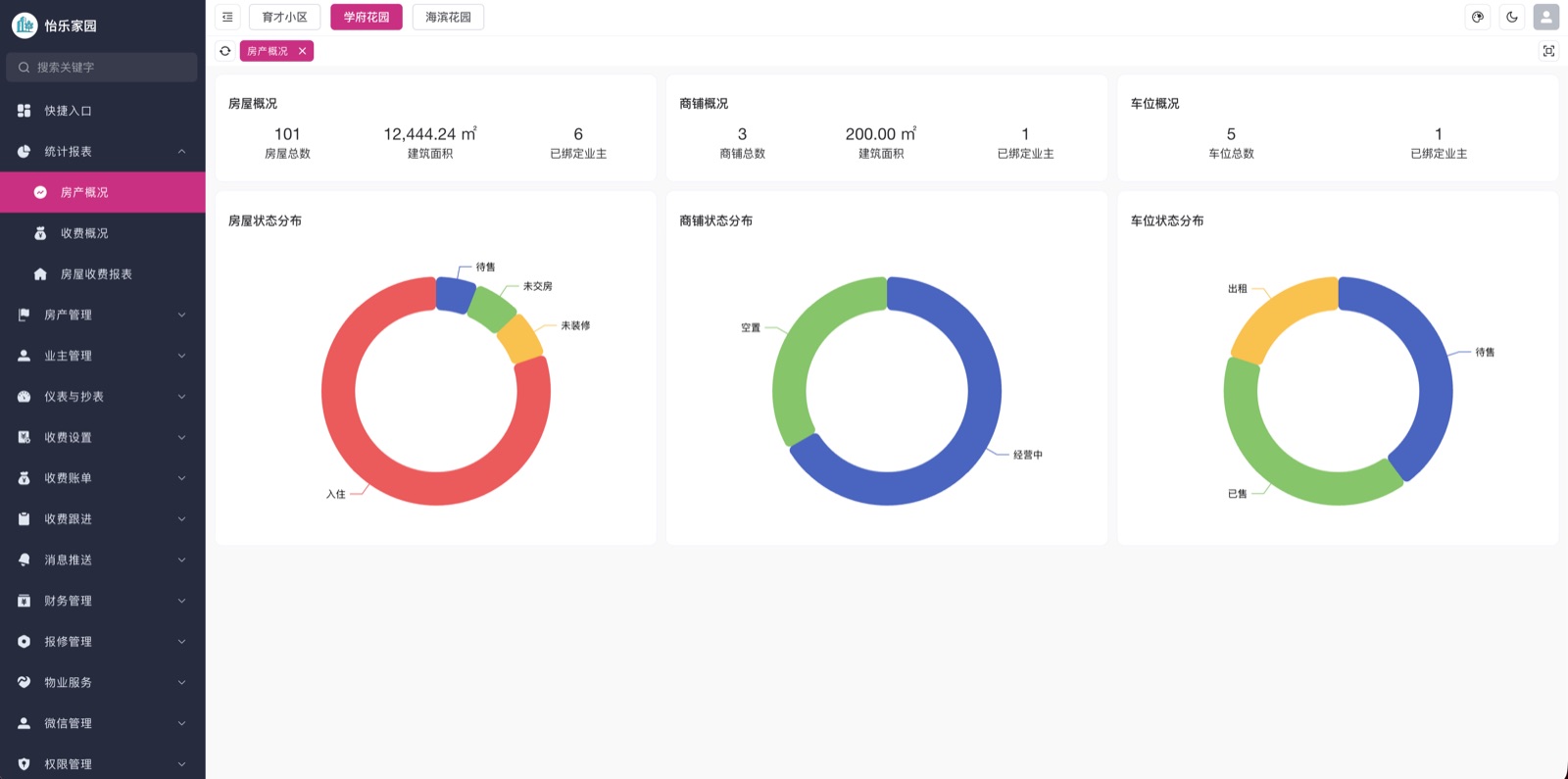
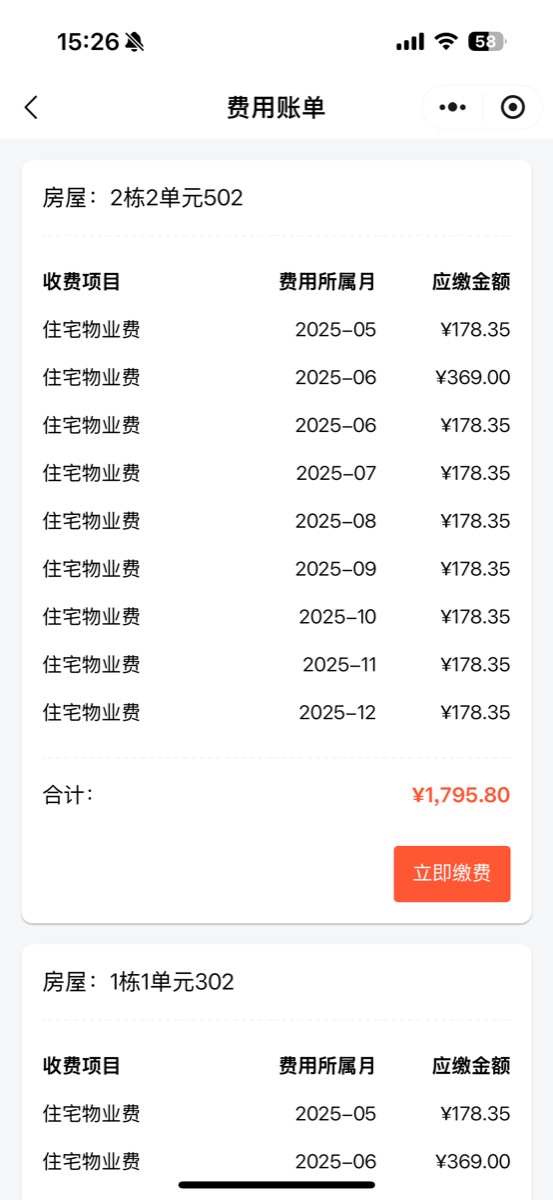
Core features
An admin console for managers and a Mini Program for staff and residents.
Multi-community management
One account for every community.
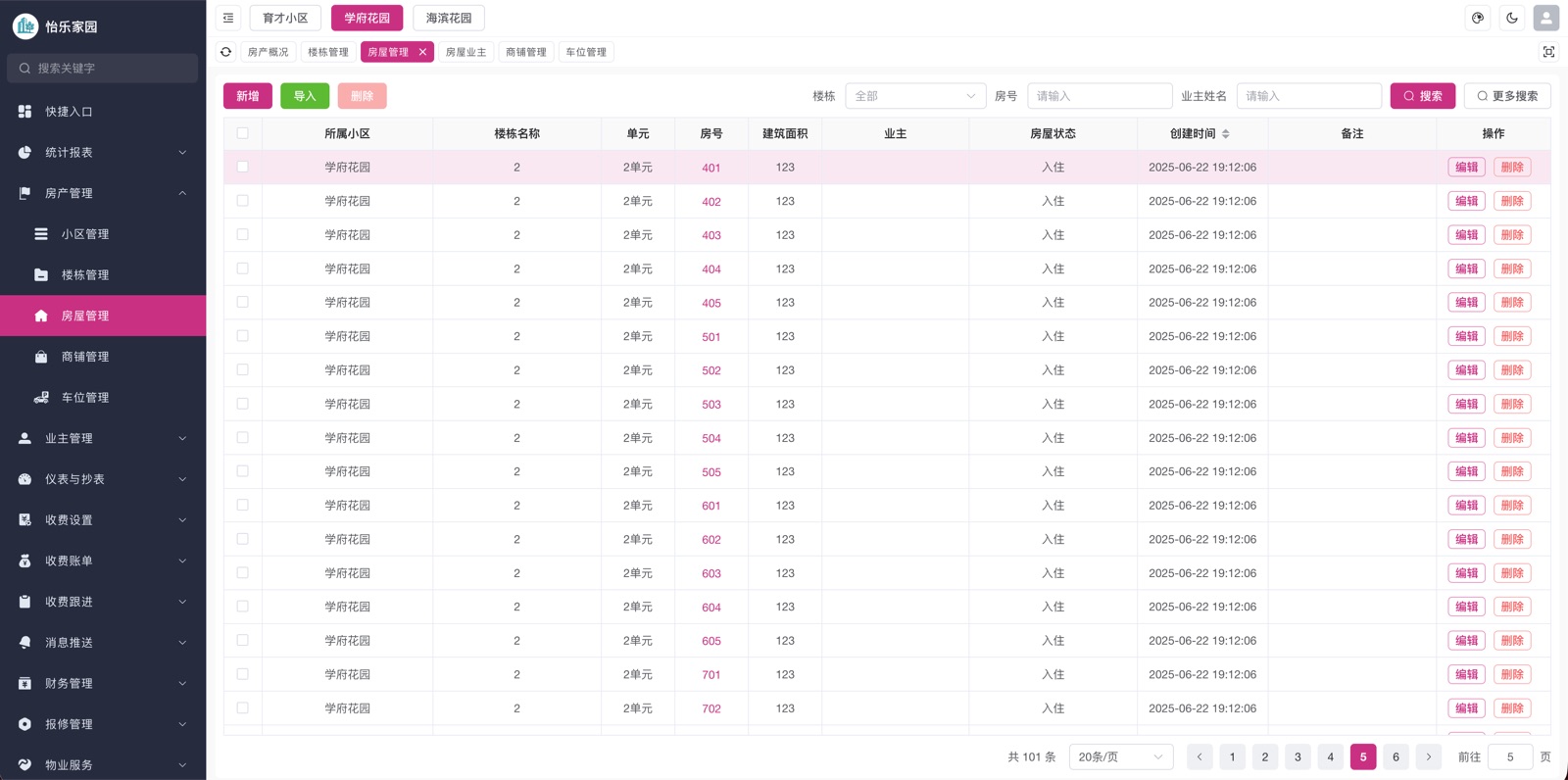
Homes, shops & parking
Residential units, shops and parking spaces, each billed separately.
Online fee collection
Automatic bills paid via WeChat.
Meter reading & prepaid water
Usage calculated from readings; prepaid water balance deducted by use.
Ledger & reconciliation
Every income and expense recorded, with daily closing summaries.
Repair requests
Report with photos, dispatch and track.
Work records
Geotagged, watermarked check-in photos.
Notices & reminders
Announcements and payment reminders.
Communities
Manage every community from one account
Switch between communities in one console and maintain units, shops and parking spaces in one place.
- Per-community staff permissions
- One-click community switching
- Dashboards across communities
- Different fee standards per community
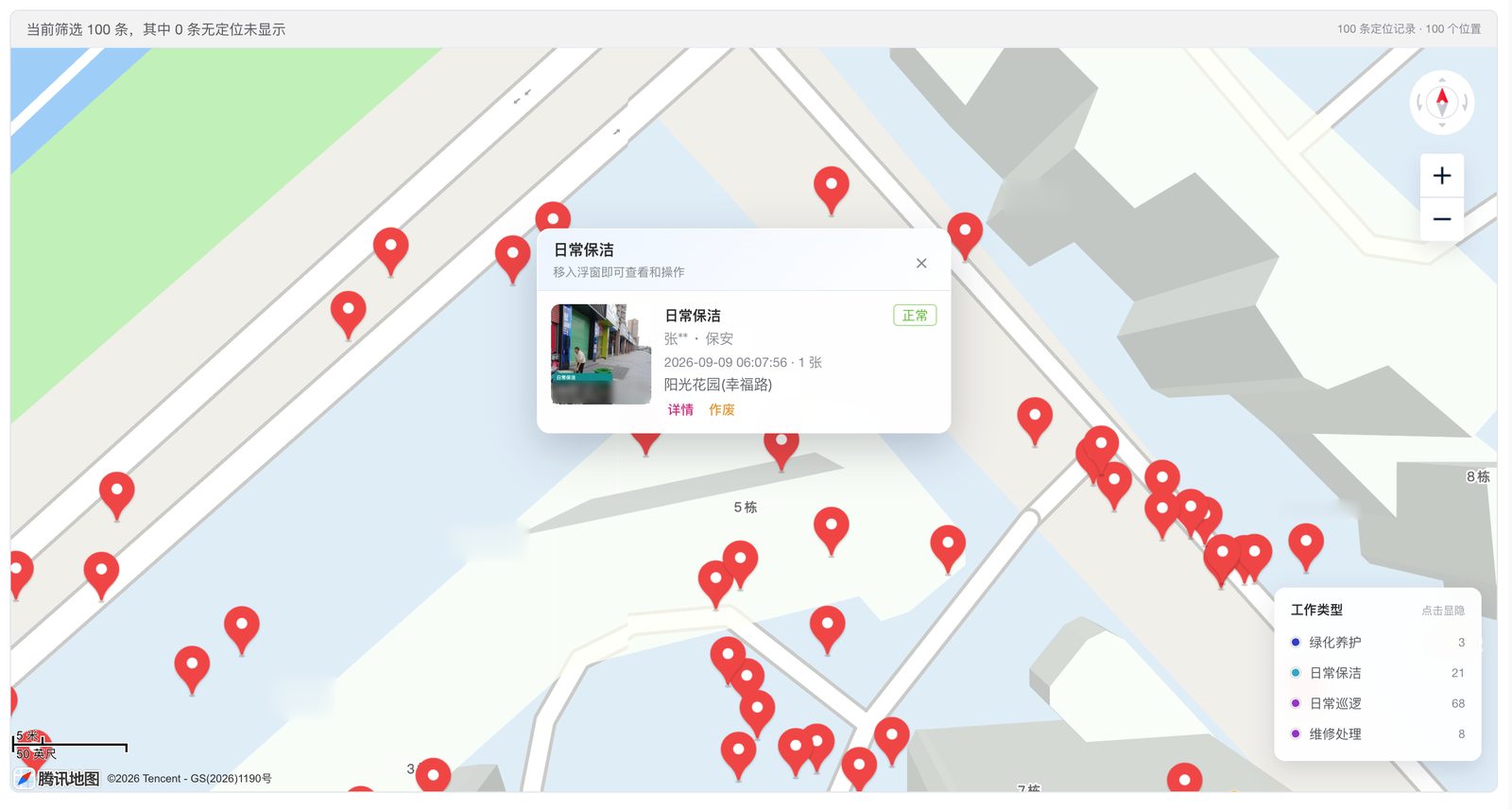
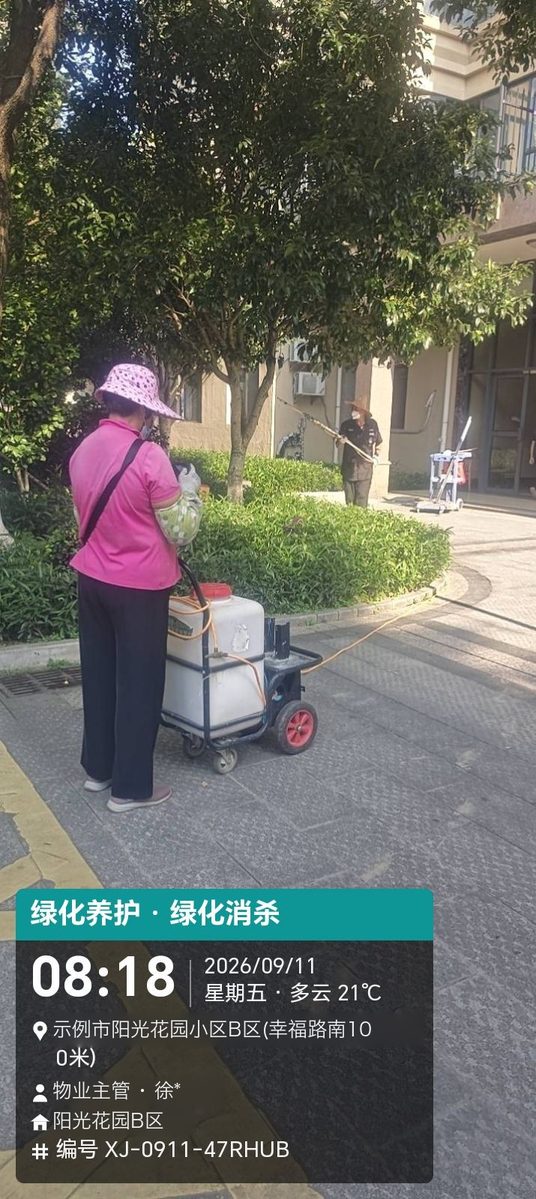
Work records
Photo check-ins for daily work
Staff record cleaning, patrols, repairs and landscaping by taking a photo in the Mini Program. Photos are geotagged and watermarked with work type, time, weather, location, staff and a record number, and managers can review them on a map.
- Photo check-ins with automatic location
- Time, location and staff watermark
- Filter by work type and switch to map view
- Open a record to see photos and details
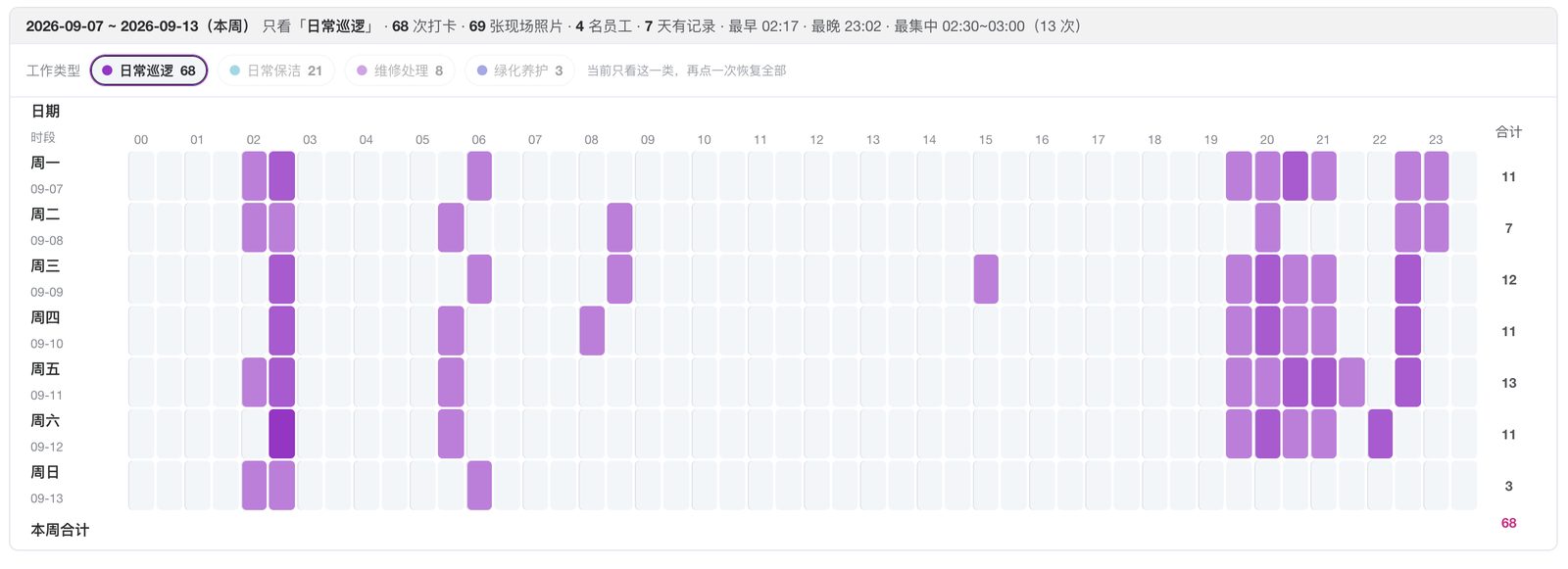
Work statistics
See when each type of work happens
Weekly statistics show check-ins by day and hour for each work type, with totals for check-ins, photos and staff.
- Distribution by day and hour
- Filter by work type
- Totals for check-ins, photos and staff
- Spot the busiest time slots
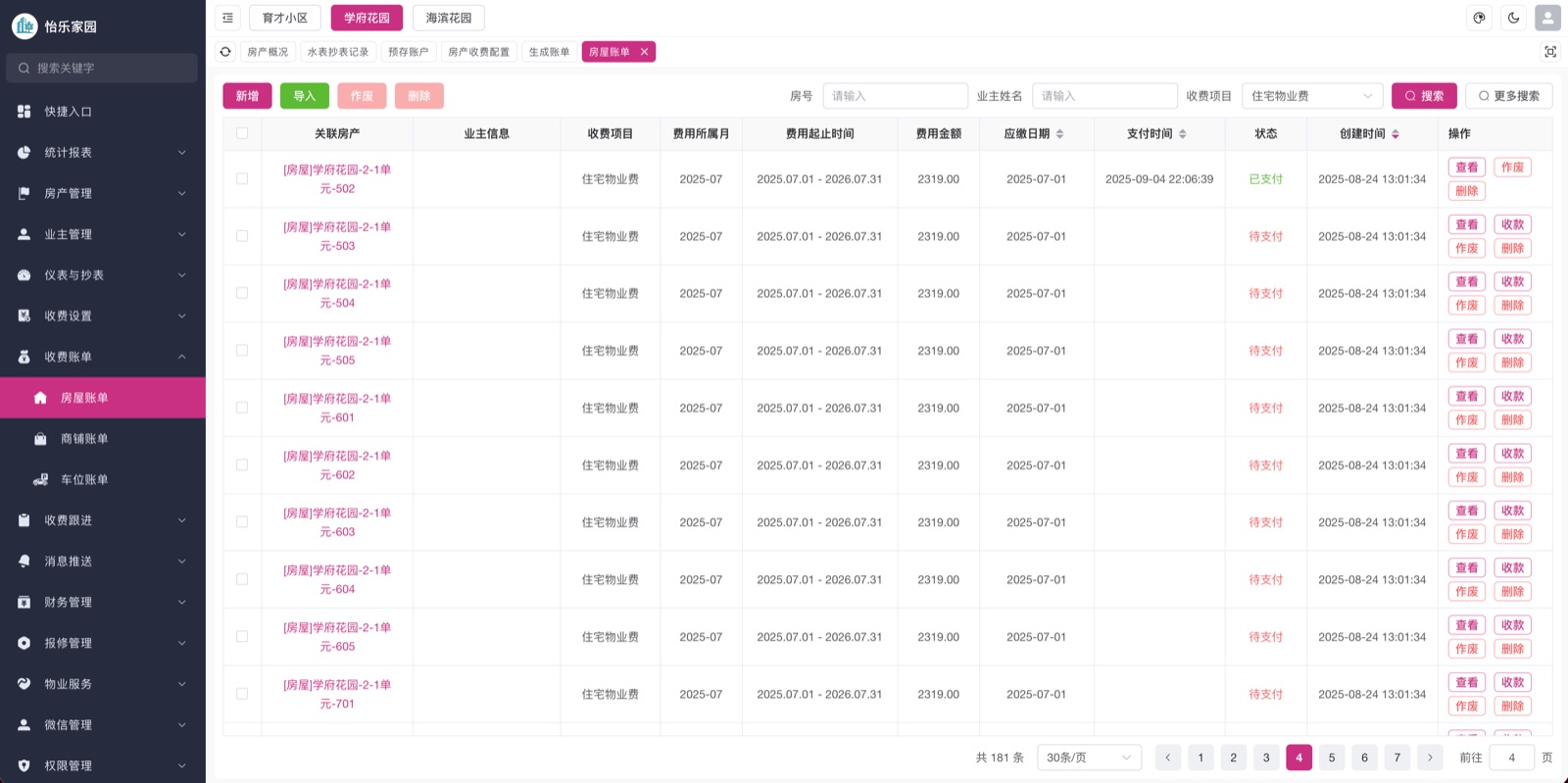
Billing
Collect property and utility fees online
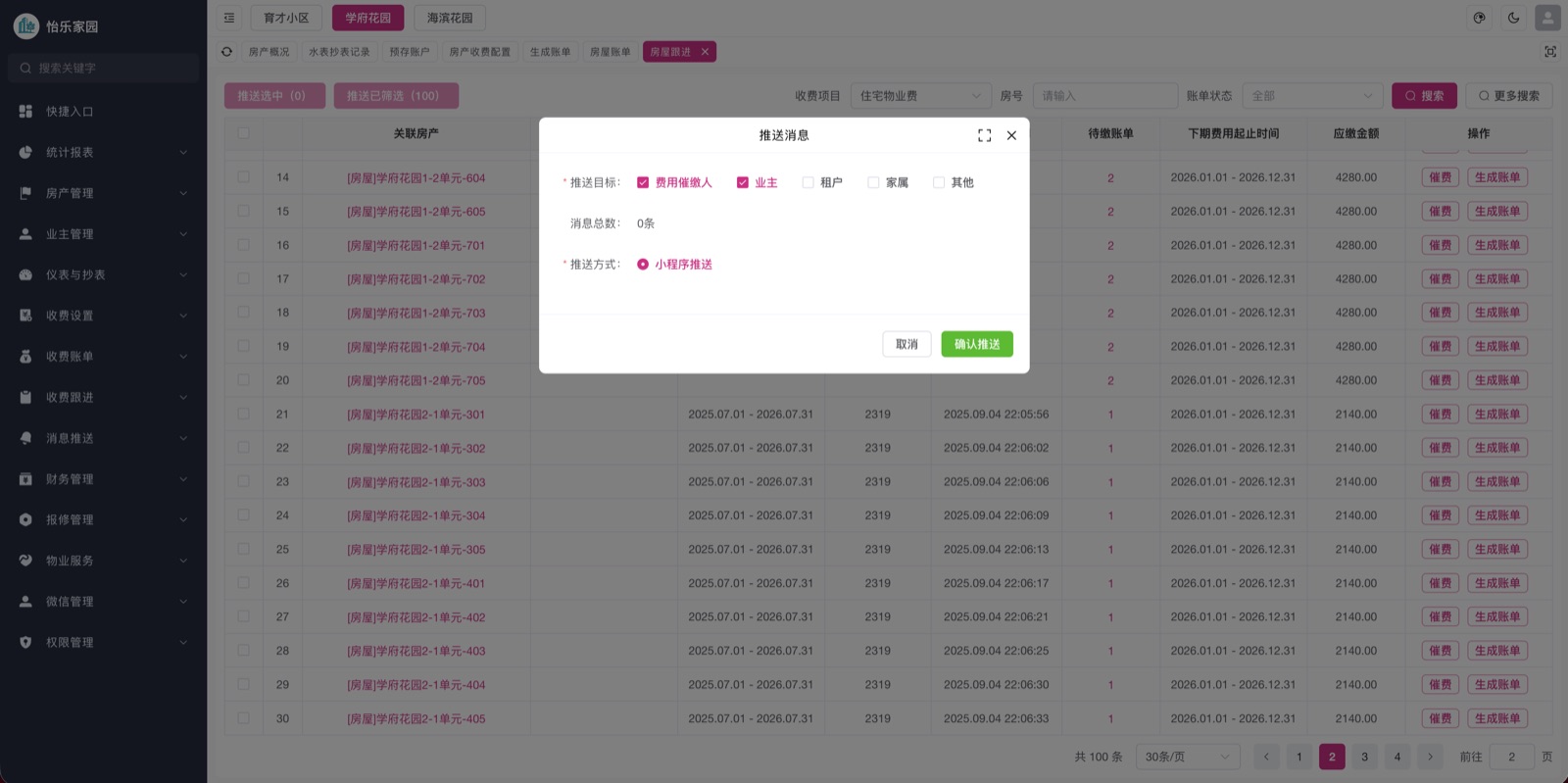
Property, utility and parking bills are generated automatically and paid in the WeChat Mini Program, with payment records synced for reconciliation.
- Batch bill generation
- WeChat payment
- Electronic receipts with printing
- Complete payment history
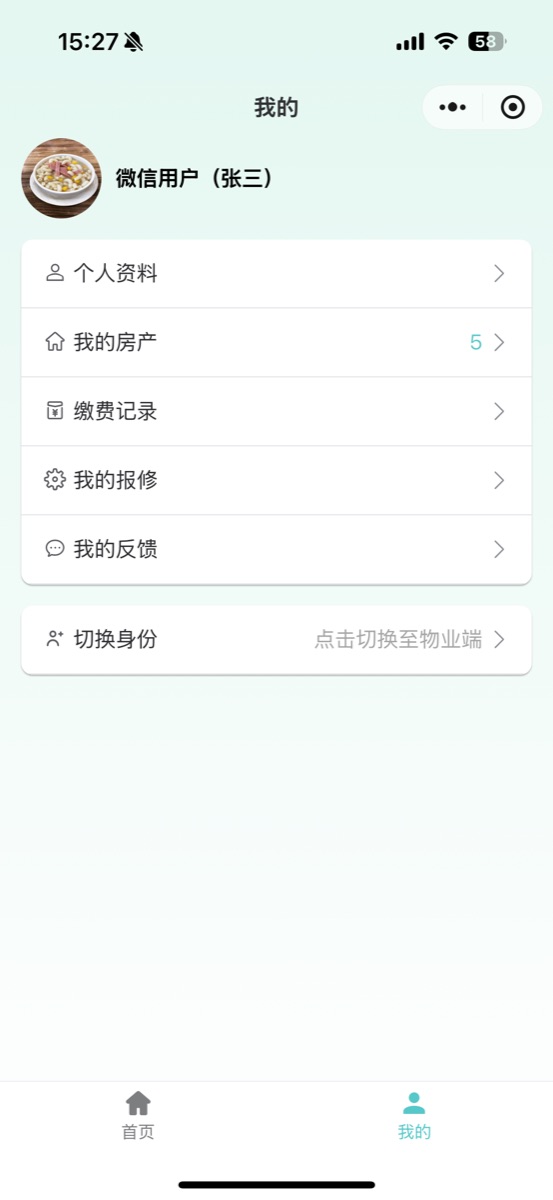
Repairs
Repair requests and dispatch
Residents submit requests with photos. Staff dispatch technicians, and residents follow progress in the Mini Program.
- Photo and text reports
- Dispatch notifications
- Progress tracking
- Full work order history
Notices
Notices and payment reminders
Send announcements and payment reminders to residents through WeChat subscription messages.
- Reminders for unpaid bills
- Announcements to all residents
- WeChat subscription messages
- Sending history
Who it is for
Management
See billing and service across all communities.
Property managers
Dispatch repairs and publish notices.
Finance
Generate bills, check payments, print receipts.
Residents
Pay bills and request repairs in WeChat.
How it works
- Step 1
Contact us
Scan the customer service code.
- Step 2
Set up communities
Enter or import buildings and units.
- Step 3
Configure billing
Set fee standards and generate bills.
- Step 4
Residents pay online
Residents link their unit and pay in WeChat.
FAQ
Can one account manage multiple communities?
Yes. Switch communities in the console and set staff permissions and fee standards per community.
Do residents need to install an app?
No. Residents use a WeChat Mini Program.
How do we get started?
Scan the customer service code on this page to contact us.
Interested in Yile Home?
Scan to contact customer service, or try the resident Mini Program.